
Asset List Checkboxes
The Asset List checkbox view streamlines the selection of multiple assets. Select or deselect individual assets by clicking their checkboxes. Use the header checkbox at the top left to select or clear all assets simultaneously.
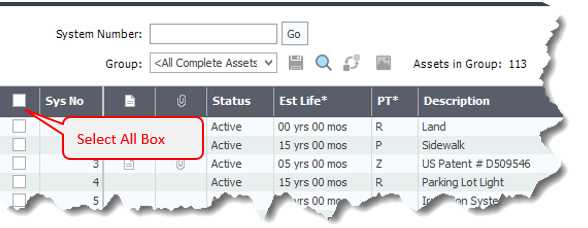
Double-click anywhere on an asset row, selected or not, to open the Asset Detail view for that asset. When you return to the Asset List, your previous asset selections are retained, allowing you to continue to work with the same group of assets. The number of selected assets appears in the Selected Assets count above the Asset List.
Other ways of selecting assets in the checkbox view are similar to doing so in the standard Asset List view. To use the standard Asset List view and to hide the checkboxes and the Selected Assets count, deselect Show checkboxes.