
Selecting Dates in the Calendar
To move the calendar to the next month, click the arrow in the upper-right corner of the calendar. To move the calendar to the previous month, click the arrow in the upper-left corner.
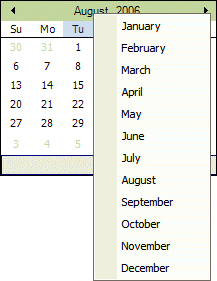
You can also quickly change the month by clicking the month displayed in the center top of the calendar, and selecting a different month from the drop-down list.
To quickly change the year, click the year displayed, and select the year by clicking the up or down arrows.
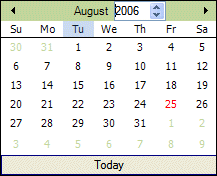
After you've displayed the appropriate year and month, click on the desired date.