
Entering Dates in Date Fields
There are several ways you can enter the date in date fields.
- Simply type the date.
- Use the built-in calendar.
The application contains an easy-to-use calendar that you can access in any date field.
To use the built-in calendar
- Move the cursor to any date field, then select the arrow button
 that appears in the field. The system displays the calendar.
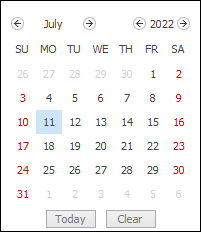
- Select a date from the calendar. See Selecting Dates in the Calendar. The system enters the date you selected in the date field.